
docker-compose 部署xray-vless-reality实现科学上网
注:需要一台国外的vps或者vds,配置不需要太高
克隆代码
git clone https://github.com/mikhailde/xray-vless-reality.git
mv xray-vless-reality/docker-compose.yml  /data/xray
mv xray-vless-reality/xray_config.json    /data/xray
修改docker-compose.yaml文件
注:外部映射的端口默认是443,如果443被占用,可以改成其他
services:
  xray:
    image: teddysun/xray:latest
    container_name: xray
    restart: unless-stopped
    volumes:
      - /data/xray/xray_config.json:/etc/xray/config.json:ro
    ports:
      - "外部映射的端口:443/tcp"
    networks:
      - proxy_net

networks:
  proxy_net:
    driver: bridge
生成UUID
uuidgen生成Private key 和 Public key
docker run --rm teddysun/xray:latest xray x25519生成short id
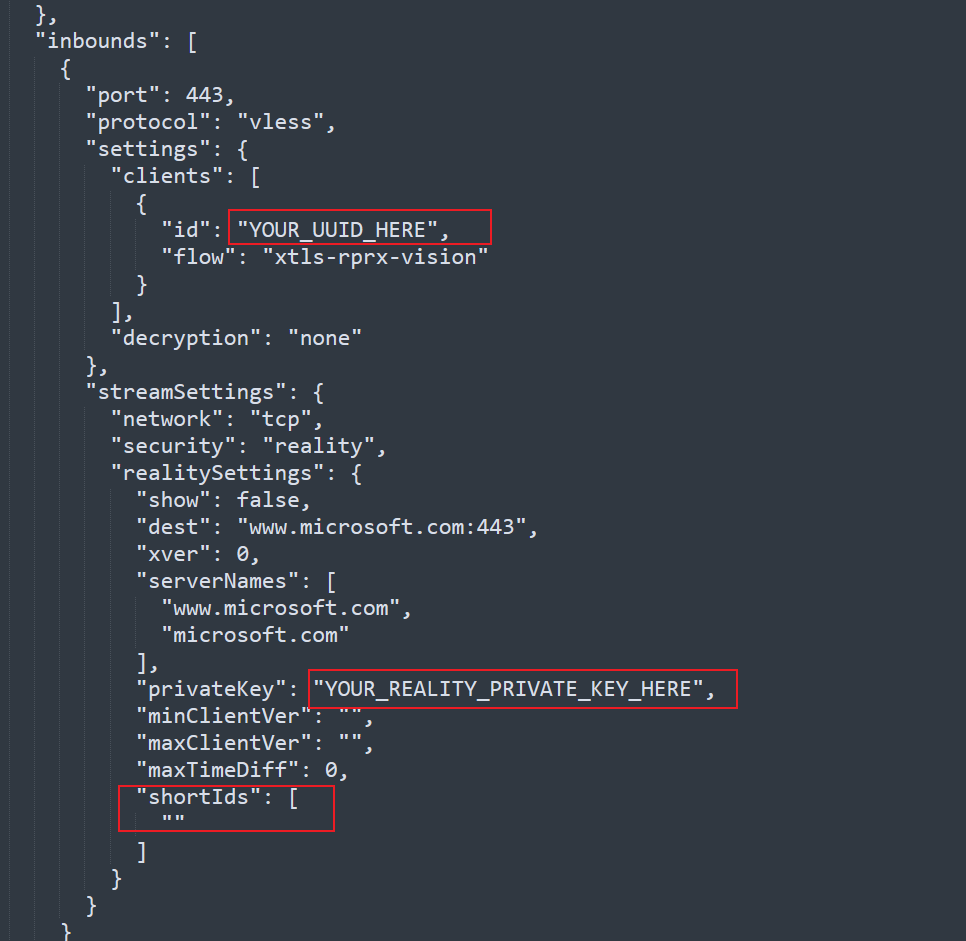
openssl rand -hex 8修改xray_config.json文件,填入上面生成的内容
启动服务
docker-compose up -d客户端连接
下载v2rayN ,下载地址:https://github.com/2dust/v2rayn
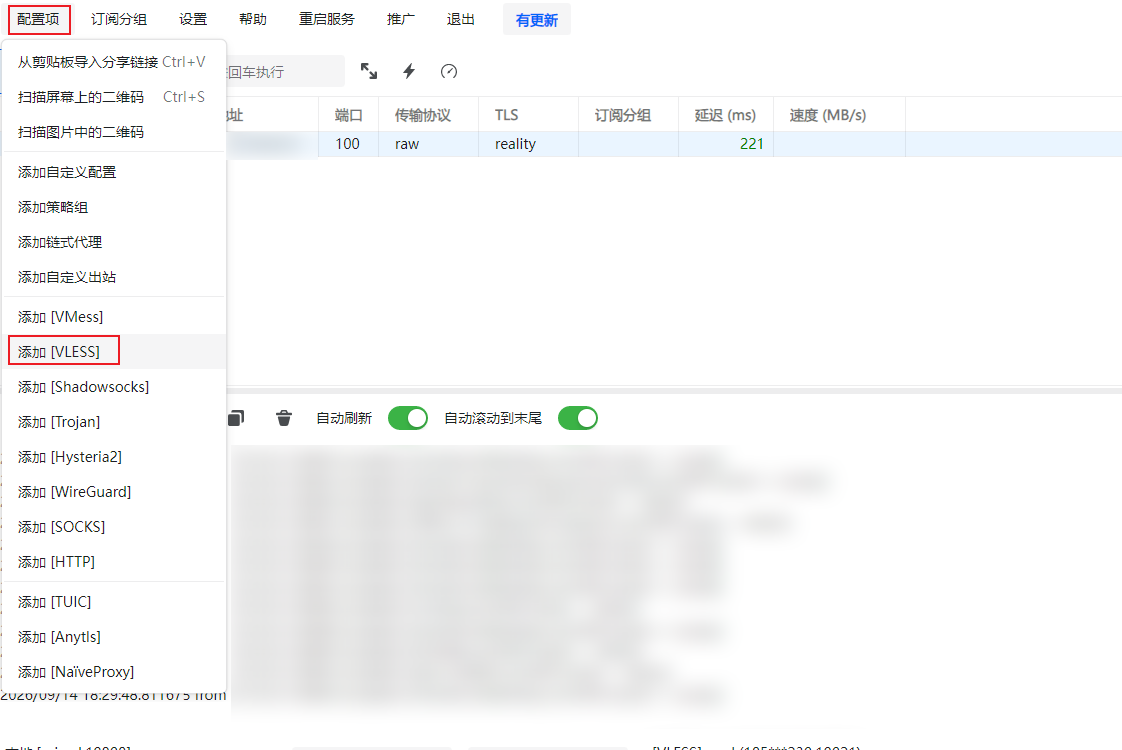
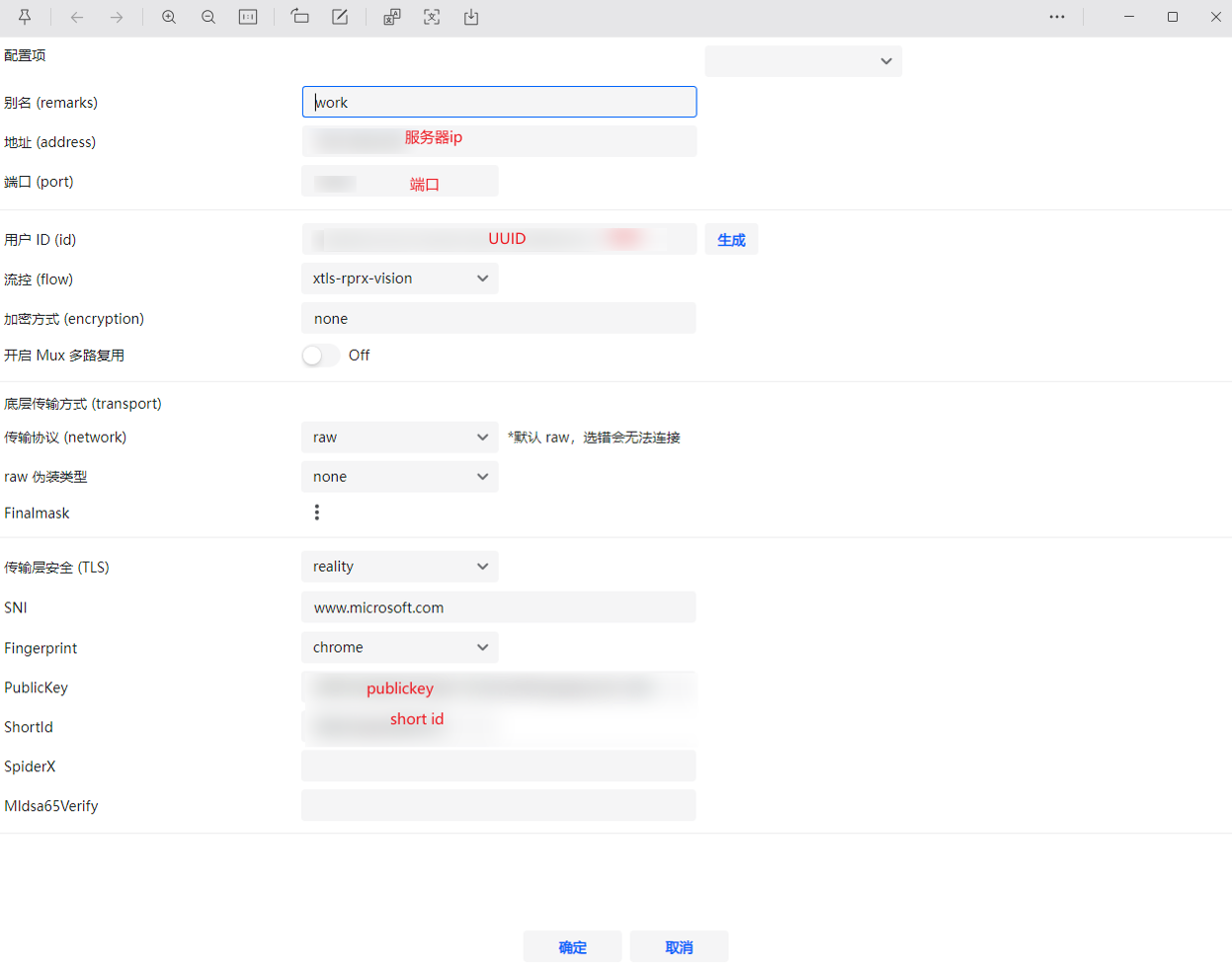
添加配置
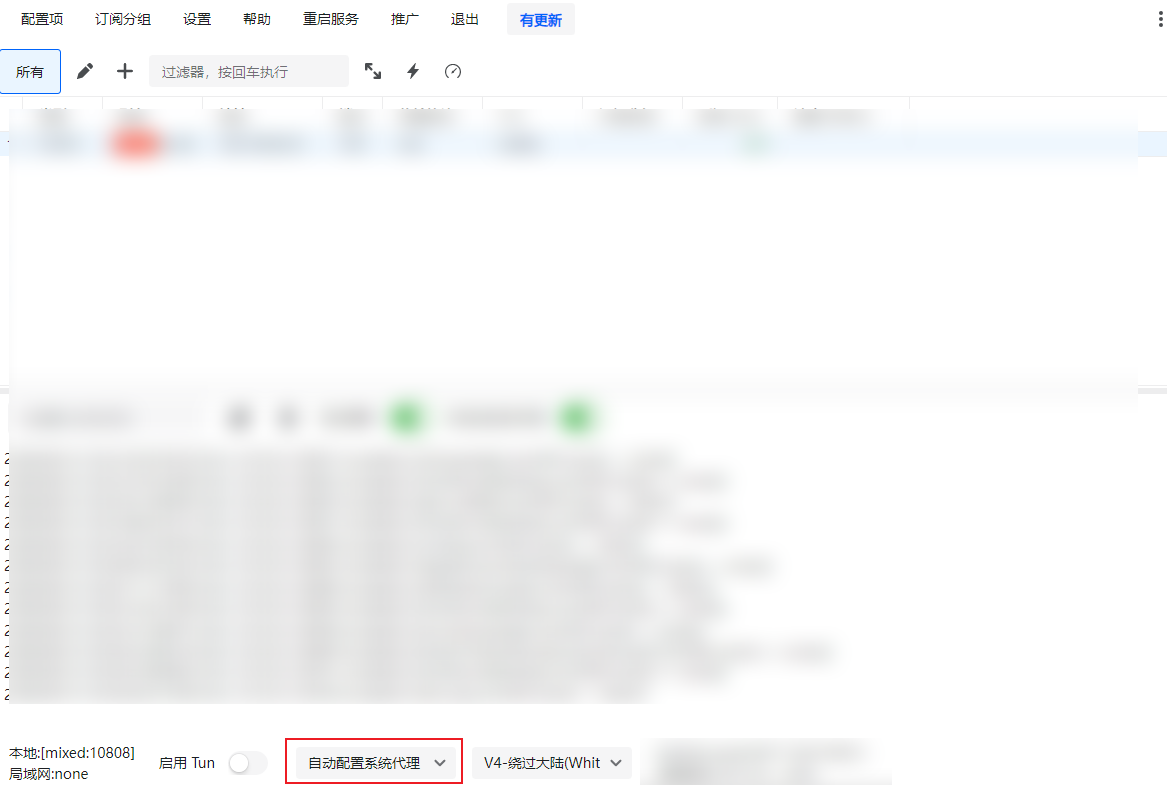
注:一定要选择自动配置系统代理