官方地址
https://allinssl.com/
compose下载地址
https://github.com/docker/compose/releases
compose部署allinssl.yaml
services:
  allinssl:
    image: allinssl/allinssl:latest
    container_name: allinssl
    restart: always
    volumes:
      - /data/allinssl:/www/allinssl/data
    environment:
      - ALLINSSL_USER=allinssl
      - ALLINSSL_PWD=allinssldocker
      - ALLINSSL_URL=allinssl
    networks:
      devops:
    ports:
      - 外网端口:8888
  openresty:
    image: openresty/openresty:1.27.1.2-12-bullseye-fat-amd64
    container_name: openresty
    restart: always
    ports:
      - 80:80
      - 443:443
    volumes:
      - /etc/localtime:/etc/localtime
      - /data/openresty/conf.d:/etc/nginx/conf.d
      - /data/openresty/logs:/usr/local/openresty/nginx/logs
      - /data/openresty/ssl:/usr/local/openresty/nginx/conf/ssl
    networks:
      - devops
networks:
  devops:
    name: devops
nginx 配置allinssl.conf
server {
        listen       80;
        listen       443 ssl;
        server_name   域名;
        ssl_certificate       ssl/证书;
        ssl_certificate_key   ssl/证书;
        ssl_session_timeout 5m;
        ssl_ciphers ECDHE-RSA-AES128-GCM-SHA256:ECDHE:ECDH:AES:HIGH:!NULL:!aNULL:!MD5:!ADH:!RC4;
        ssl_protocols TLSv1 TLSv1.1 TLSv1.2;
        ssl_prefer_server_ciphers on;
        if ($http_frontend_protocol = http){
                rewrite .* https://$server_name/$request_uri;
        }
        location / {
                proxy_set_header Host $host;
                proxy_set_header X-Real-IP $remote_addr;
                proxy_set_header X-Forwarded-For $proxy_add_x_forwarded_for;
                proxy_pass http://allinssl:8888;
        }
}
将allinssl.conf放到/data/openresty/conf.d目录,将证书放到/data/openresty/ssl目录
部署
docker-compose -f allinssl.yaml up -d
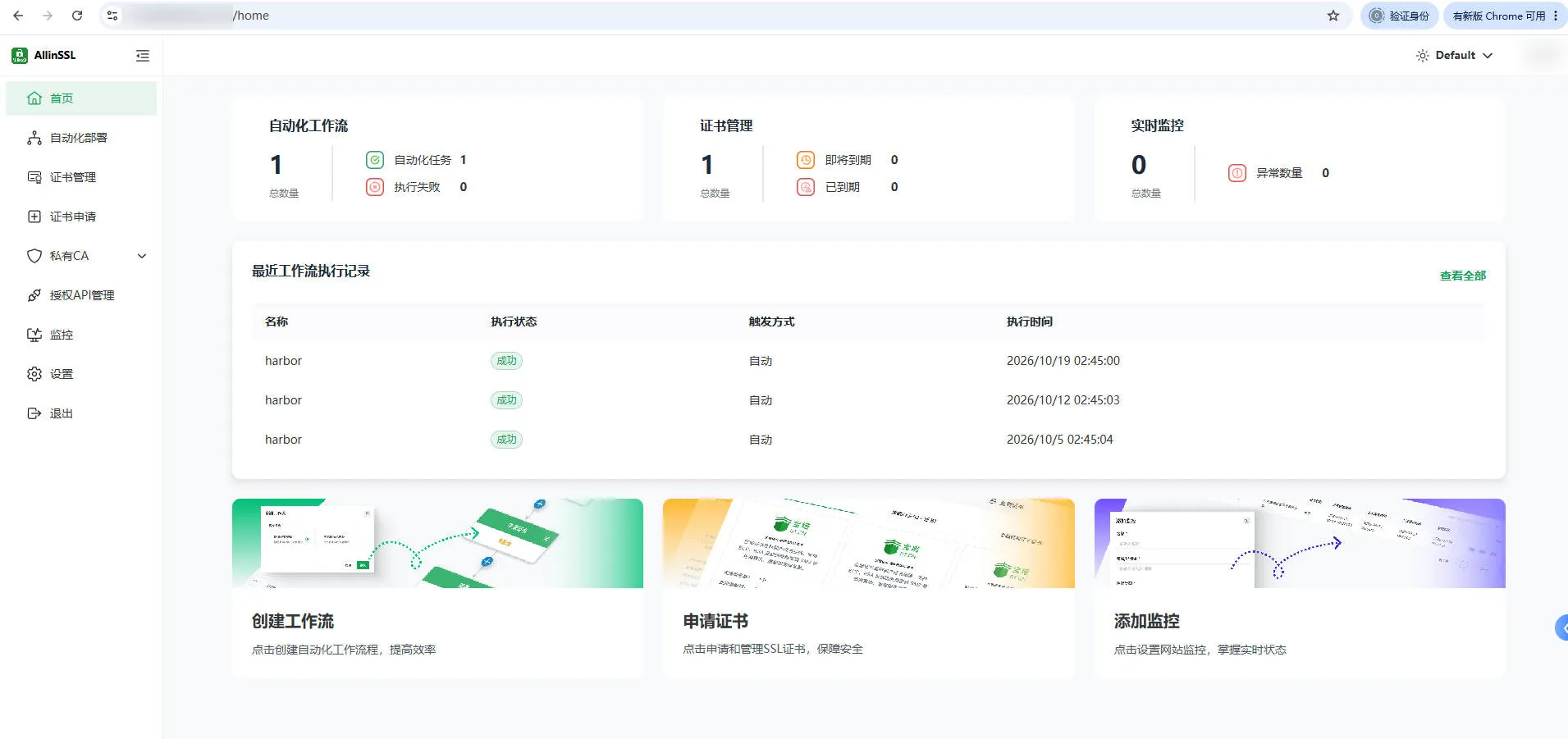
部署后截图

登录后台
https://你的域名/allinssl
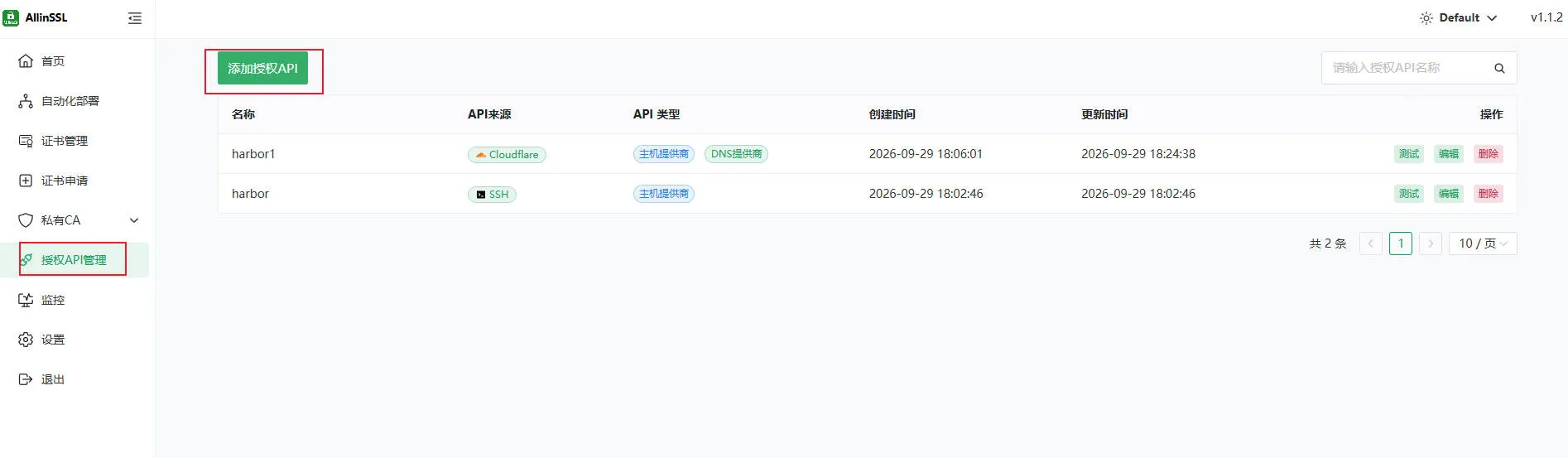
添加授权API
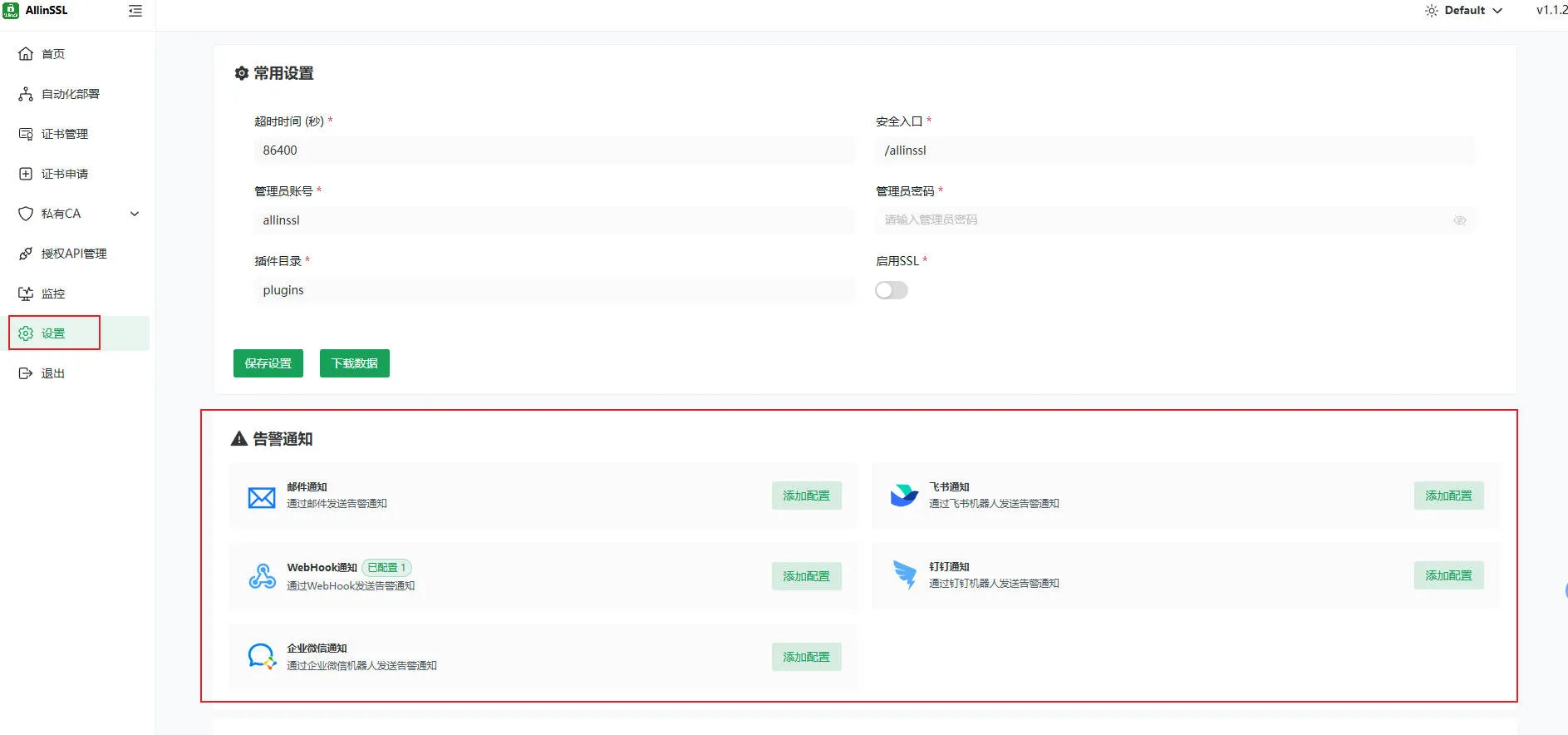
添加告警渠道
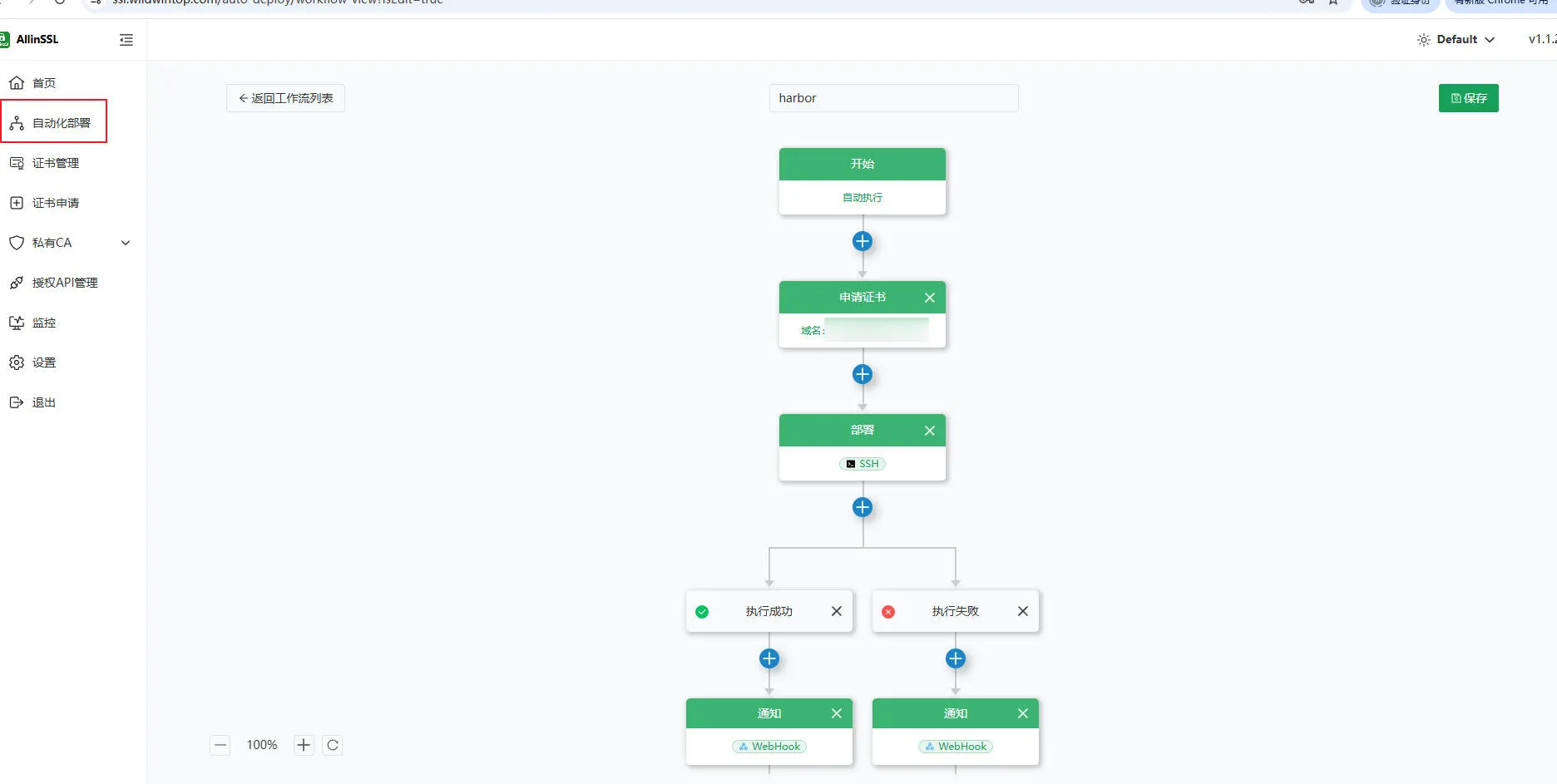
自动化部署
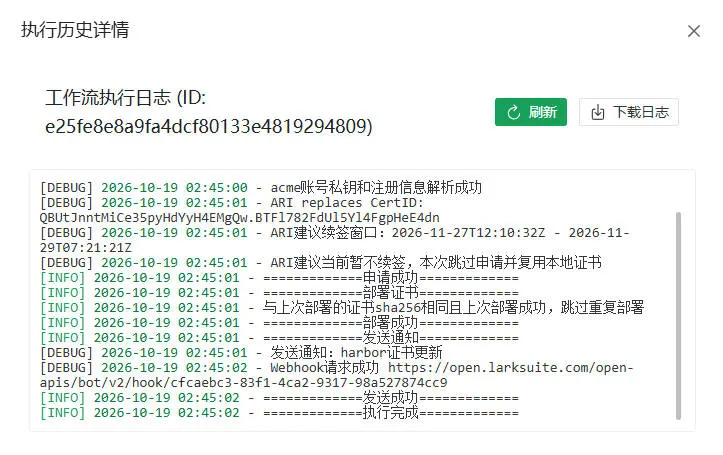
执行历史